
Digital Checklists vs Paper: Why Hospitality Operations Teams Are Making the Switch
By Janos Laszlo
- task management
- digital checklists
- hospitality operations
- restaurant checklists
- compliance evidence
- hospitality technology
Quick Summary
-
Every hospitality operation runs on checklists, opening, closing, cleaning, temperature checks, and almost all of them are still on paper.
-
Paper’s fatal flaw is the same as paper training: the work gets done, but the proof disappears.
-
Digital task management captures who completed what and when, turning compliance evidence into a quick report instead of a paper chase.
-
The bigger advantage is combining task management with training in one platform, something very few systems do.
-
One login, one place to learn and execute, and all the evidence sitting in a single system rather than stitched together from two.
Every restaurant and hotel runs on checklists. Every department has them: opening and closing lists for waiters, kitchen, bar, reception and sommeliers, plus cleaning schedules, temperature checks, stock takes and more. They are the backbone of consistent operations, and almost all of them are still done on paper. That paper is where the trouble starts.
This is a look at why hospitality operations teams are switching from paper checklists to hospitality task management software, what the paper approach actually costs, and why the smartest move is not just going digital but combining task management with training in a single platform, something almost no one else does.
Why Are Paper Checklists a Problem in Hospitality?
Paper checklists have the same fundamental flaw as paper training: the job might get done, but the proof disappears.
Think about what happens to a completed checklist. The team does the opening checks on the day, ticks the sheet, and then, where does the paper go? Somewhere in the office. Over time it gets forgotten, or collected in different places, or someone forgets to file it in the right pile. Lost sheets are the single biggest issue with paper operations, the work happened, but the record of it scatters and vanishes.
Then there is the cost, which is easy to miss. Printing checklists has a cost, and management wasting hours weekly on them has a cost too. The biggest cost of all is invisible until the day it lands: if you are ever subject to a spot check, an audit, or a legal claim, and you have no evidence to show the job was done, that absence is expensive. A ticked sheet in a lost pile is worth nothing when you actually need to prove compliance.
There is also the update problem, the same one that dogs why hospitality SOPs keep failing. When a procedure changes, management has to update the checklist and redistribute it, and there is no reliable way to know everyone is working from the current version rather than an old printout.
Why Are Paper Checklists a Problem in Hospitality?
Paper checklists are a problem because the completed records are easily lost, and without the record you cannot prove the work was done. In hospitality, checklists cover opening and closing, cleaning, food safety and more, and they often serve as compliance evidence. On paper, completed sheets get filed inconsistently, forgotten in the office, or lost entirely, so when a spot check, audit or legal claim arrives, there is no reliable proof.
Paper also carries printing costs, is slow to update when procedures change, and offers no easy way to see in real time who completed what. A digital opening checklist for hospitality solves this by capturing completion with a time and a name, stored and reportable.
Why Digital Task Management Wins?
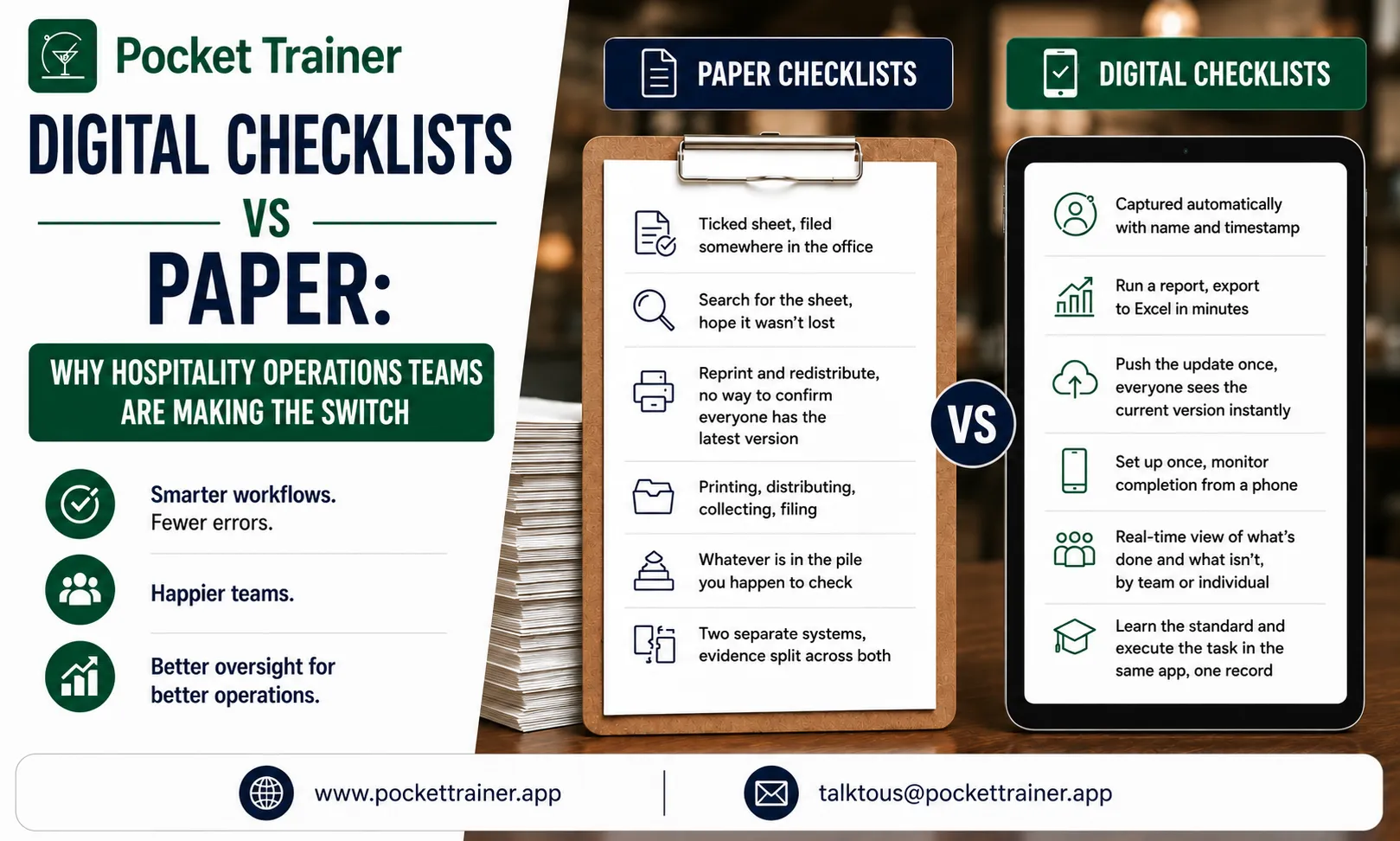
| Comparison Area | Paper Checklists | Digital Task Management |
| Completion record | Ticked sheet, filed somewhere in the office | Captured automatically with name and timestamp |
| Proof at audit or spot check | Search for the sheet, hope it wasn’t lost | Run a report, export to Excel in minutes |
| Updating a procedure | Reprint and redistribute, no way to confirm everyone has the latest version | Push the update once, everyone sees the current version instantly |
| Manager time | Printing, distributing, collecting, filing | Set up once, monitor completion from a phone |
| Visibility across departments | Whatever is in the pile you happen to check | Real-time view of what’s done and what isn’t, by team or individual |
| Training and doing | Two separate systems, evidence split across both | Learn the standard and execute the task in the same app, one record |
Moving checklists to a restaurant task management app fixes each of those problems directly, and adds control paper never offered.
The completion record is the heart of it. When a task is done digitally, the system captures who did it and at what time, and holds it. If a spot check or audit arrives, you do not go hunting through the office, you run a report and prove the job was done, exported to Excel if you need it. That data retention is genuinely useful, turning compliance from a paper chase into a button press.
It also gives managers their time back. Instead of printing, distributing, collecting and filing paper, a manager sets up the checklists once and monitors completion from their phone, hours of office admin returned to where it matters: on the floor, with guests and the team.
“Pocket Trainer is something we use for the daily operation, to do the opening and closing checklists, everyone can access our menus in two clicks. It started being a training tool, now the floor and operation teams use it too.” Tomas Vega, Regional Training Manager, LPM
That shift, from a training tool to an everyday operations tool, is what LPM’s own training culture looks like once it’s actually adopted by the floor.
On Pocket Trainer, restaurant checklist software is built for exactly this. Admins create checklists in an open format, set them to recur daily, weekly or monthly on exact days and times, and assign them to whole departments or named individuals. They can attach supporting documents or videos showing how a task should be done.
Created tasks appear on the newsfeed and trigger a push notification, with a reminder before the task starts, another when it is due, and follow-up reminders if it is not completed. Managers see which tasks were done and which were not, who completed them and when, with full reporting that exports to Excel.
If you want to see how a digital SOP checklist replaces paper across your operation, book a 15-minute demo and we will walk through it with your team.
Should Training and Task Management Be One Platform?
Here is where the thinking goes a step further than most. Going digital is good. Going digital in one platform that also handles your training is better, and almost no one in this space does it.
Consider platform fatigue. Operators are drowning in apps, one for rota, one for reservations, one for training, one for tasks. Every new system is another login, another thing to learn, another subscription. So why run training and task management as two separate tools when they serve the same team, on the same phone, in the same shift?
The two also reinforce each other in a way separate tools cannot. Training teaches the standard; the checklist makes people do it. A staff member learns the correct closing procedure as a course, then executes it as a task, in the same app, with both the learning and the doing recorded in one place. When a new procedure changes, you can update the training and the checklist together and push both out at once.
This is exactly the model behind task management meeting training for multi-site restaurants, where the same combined approach scales across an entire group rather than a single site. Most platforms are either a learning system or a task system. Bringing them together is what lets a hospitality operator run learning and daily operations from one tool, simpler to live with and more powerful than either half alone.
Why Combine Training and Task Management in One Platform?
Combining training and task management in one platform reduces the number of separate apps a hospitality team has to use, which eases the platform fatigue operators face. It also links learning to doing: staff learn a standard as training, then carry it out as a checklist task, all in the same app on the same phone, with both recorded together.
This makes updates simpler, since a changed procedure can be pushed to both the course and the checklist at once, and it keeps all the evidence, who was trained and who completed the task, in one system. Very few platforms do both, which is why combining them is a genuine advantage rather than just a convenience.
The Takeaway
Paper checklists share the fatal flaw of paper training: the work gets done but the proof disappears, filed in the wrong pile or lost in the office, exactly when a spot check or legal claim needs it. Hospitality task management software fixes this by capturing who did what and when, giving managers their office hours back and turning compliance evidence into a quick report.
The bigger win is combining that task management with training in a single platform, cutting through platform fatigue, linking learning to doing, and keeping all the evidence in one place, which is something almost no other system offers.
If you want to replace paper checklists and run training and operations from one platform, book a 15-minute demo and we will walk through it with your operation in mind. You can also read more about the training management tools behind it and the hospitality LMS it all runs on.
FAQs:
1 Is hotel checklist software different from restaurant checklist software?
The core mechanics are the same: recurring task scheduling, completion tracking with a name and timestamp, and department-based assignment. The specific checklists differ (room turnover and housekeeping standards for hotels versus kitchen and floor checklists for restaurants), but the underlying platform works the same way for both.
2 Can digital checklists really replace paper checklists entirely?
Yes, for the vast majority of hospitality operations. Every function paper serves, opening and closing checks, cleaning schedules, temperature logs, can be replicated digitally with the added benefit of an automatic, timestamped completion record that paper cannot provide.
3 Does a digital SOP checklist help with compliance audits?
Yes. Because each completed task is logged with who did it and when, a manager can run a report and produce evidence on demand, rather than searching through filed paper sheets. This turns a spot check or audit from a scramble into something answered in minutes.
4 What happens when a procedure or SOP changes?
On a digital system, an updated procedure can be pushed to both the training course and the corresponding checklist task at once, and every team member sees the current version immediately. On paper, an updated checklist has to be reprinted and redistributed, with no reliable way to confirm everyone is working from the latest copy.
5 Why use one platform for both training and task management instead of separate tools?
Using one platform reduces the number of logins and separate apps a hospitality team has to manage, and it links learning directly to doing, since staff learn a standard as training and then execute it as a task in the same app. It also keeps all completion evidence, both training and task records, in a single system rather than split across two.