
How to roll out a new menu and train every site on it fast
By Janos Laszlo
- new menu rollout
- menu training
- menu launch
- multi-site training
- menu update
- hospitality training
Quick Summary
- The problem: Paper menus, spreadsheets and printed updates make it difficult to reach staff across different shifts and sites.
- Update content once: Add the new dish, cocktail or menu information. Pocket Trainer uses a built-in framework to structure the content.
- Automatic distribution: Staff receive notifications on their phones, targeted by role or department.
- Test staff knowledge: AI helps generate menu quizzes, which can be launched across up to 300 sites.
- Track completion and understanding: Managers use filtered leaderboards to see results by venue, department or individual.
A restaurant changes its menu, or adds a new cocktail, or swaps a dish, and a familiar scramble begins. Someone has to update the content, and then get it into the heads of every member of staff before the first guest orders it. That second part is where it usually falls apart, and it has nothing to do with how many sites you run.
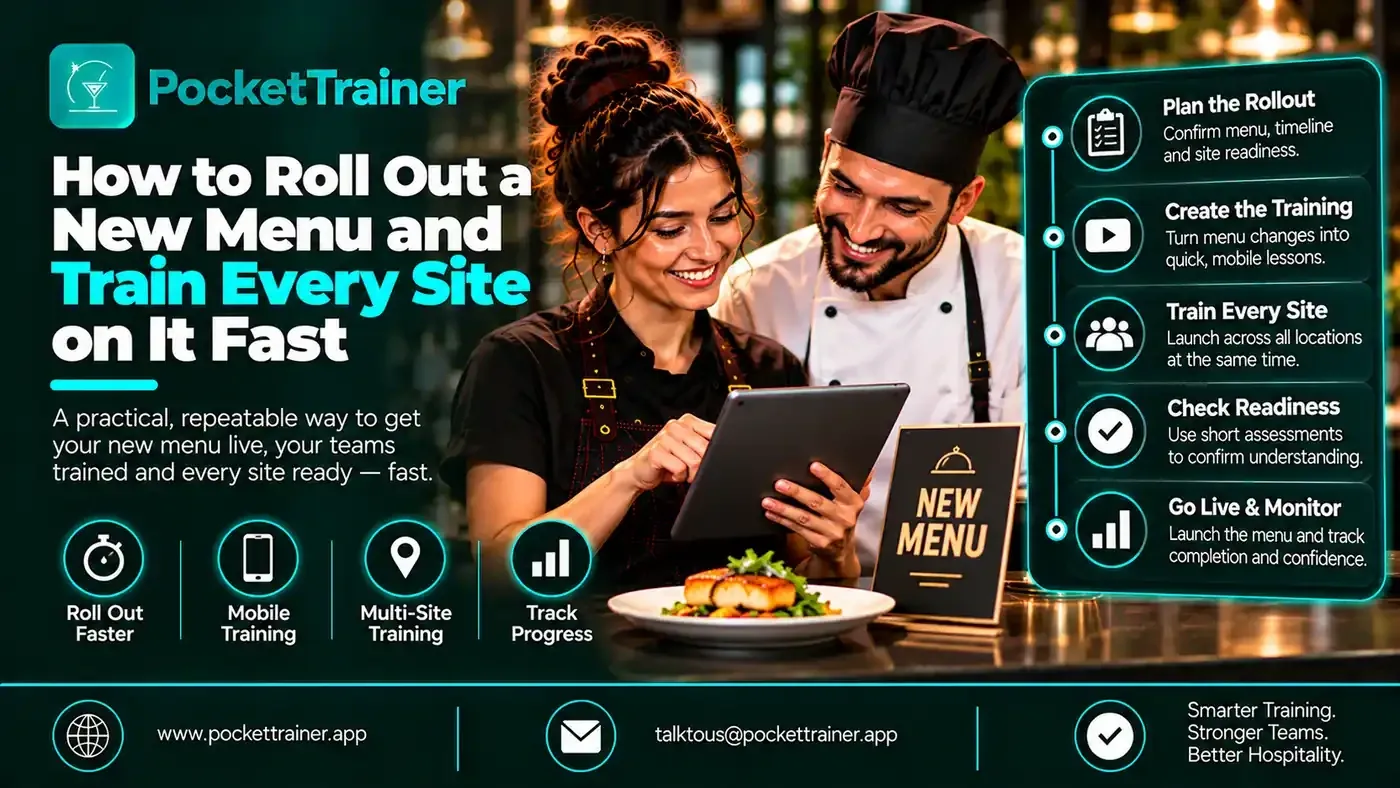
This is how to roll out a new menu and have every affected person trained, quizzed and confirmed on it in days rather than weeks, whether it is one site or three hundred. The key is to stop treating a menu change as a paper exercise and start treating it as a two-step job: update the content once, then let the platform distribute and test it automatically.
For restaurant groups evaluating Hospitality Training Software, the ability to update menu information, notify the right teams and check staff knowledge can make a practical difference to how quickly menu changes reach the floor.
The Real Menu Rollout Problem
First, a myth worth clearing up. Large groups rarely change the menu at every site on the same day. Menus are typically around 80% shared and 20% local, and sites largely work independently of each other. So the problem is not synchronising a launch across an estate. It is more ordinary and more common than that: a single site changing its menu, or a new cocktail, or one new dish, and getting the team ready for it.
The problem is editing, updating and distributing the change. Today that usually means a manager going to the office, hunting down whatever version of the menu document already exists, a PowerPoint, a Word file, an Excel buried on a shared drive, and acting as the link between the kitchen and that document. They update it, print it, and then the real nightmare starts: handing out paper to people. Some are off, some are on a different shift, some are on holiday. And when a staff member finally gets the sheet, where does it go? The locker, the bin, home, never to be seen again. The content got updated. It just never reliably reached the people who needed it.
How Do You Train Staff on a New Menu Quickly?
You train staff on a new menu quickly by updating the menu content in one place and letting the system distribute and test it automatically, instead of printing and handing out paper. Enter the new or changed dishes once, and every affected staff member is notified on their phone with the same current version, no chasing people across shifts. Then generate a quiz on the new items and confirm who actually knows them. The only time-consuming part is entering the new dish information; distribution, notification and testing are automatic, which is what turns a menu rollout from a week of chasing paper into a job of a day or two.
For another practical example, read how to train restaurant staff on a menu without writing hours of quizzes.
Step One: Update the Content Once
The heavy lifting, and honestly the only real work, is entering the new content: adding the new dish, typing in the information, taking a photo. From there the platform designs the menu description itself, which is where the time saving sits, because nobody is laying out a document by hand.
It works because the structure is already built. Pocket Trainer has a design framework created with dozens of heads of department, bar managers, head sommeliers, restaurant managers and chefs, so the categories for food, cocktail and wine are already defined. The client does not have to work out how to describe a dish, what to include, the ingredients, allergens, the menu description, serving cutlery, calories, preparation, provenance, base ingredients, because the framework already asks for exactly the right things. You type in the information, the platform designs it.
For more on organising menu and product information, see what a digital food bible is and how restaurants use one.
Sany Bacsi, global bar manager at COYA, described how fast this is for a new drink. He told us, “The cocktail guide. If we create a new cocktail I take a picture on the spot, I upload all the information, staff gets notified instantly.”
Related customer video: LPM 4K FINAL
Watch the LPM customer testimonial.
And if even that is too much, it comes off your plate entirely. Pocket Trainer’s support team can do the data entry for you, through a dedicated data-entry specialist, free of charge. Entering a full new menu takes a maximum of three days, and on average two.
Want to see how Pocket Trainer helps you update menu information once, notify the right staff and deliver consistent training across your venues? Bring your menu rollout requirements.
Book a 15-minute demoStep Two: Distribution Is Automatic
This is the part that replaces the paper nightmare, and it happens by itself. The moment the content is updated, every affected staff member is notified. It lands on their newsfeed, tailored to their department or role, so the right people see the right changes. There is one version for everyone, the current version, reaching people wherever they are, on whatever shift, on the phone already in their pocket.
No printing. No chasing people who are off or on holiday. No sheet in a locker. The update reaches the whole team the instant it is made.
Step Three: Confirm They Actually Know It
Distributing the menu is not the same as knowing the team has learned it, which is where most menu rollouts simply stop and hope. Here you can confirm it.
Once the new menu is live, you can create a quiz on it, a new starters quiz, a new mains quiz, or one covering the whole new menu. On Pocket Trainer you select the menu category and ask the AI to generate as many questions as you want, choosing the difficulty and the question type, single choice, multiple choice or open-ended. The platform proposes the questions, you edit, remove or add to them, and when you are happy you can launch that quiz across multiple sites at once. You build it once and send it to 300 sites if you need to.
Then you can actually see who knows the menu. The leaderboard filters by quiz, by time period, by venue and by department, so you could select all 300 outlets but only the waiters, on one specific quiz, and compare sites, departments or individuals side by side. Confirmation, not assumption.
For a broader look at how a hospitality learning platform supports staff training, see the Pocket Trainer hospitality LMS.
Why This Is Days, Not Weeks
Put the three steps together and the timeline collapses. The only time-consuming part is entering the new dishes, and even that can be handed to the Pocket Trainer team, who turn a full menu around in two days on average. Distribution is instant and automatic. Quizzing is generated in seconds and launched everywhere at once. Confirmation is a filtered view of a leaderboard.
Compare that to the paper route: update a document, print it, distribute it across shifts, hope it reaches everyone, and never really know if it landed. The difference is not a better version of the same process. It is a different process, where updating the content is the only job and everything after it takes care of itself.
The Takeaway
A new menu rollout is not really a scale problem, it is an update-and-distribute problem, and it bites a single site as hard as a group. Handle it in three steps: enter the new content once and let the platform design it, let distribution reach every affected person automatically on their phone, and confirm with a quiz you can launch everywhere and filter by site, department or person. Done this way, a menu change that used to mean a week of printing and chasing becomes a job of a day or two, and you actually know your team is ready before the first order lands.
Changing your menu soon? Bring one SOP or a new dish and see how quickly we can turn it into ready-to-use training for your team. We’ll also walk you through how Pocket Trainer can support your menu rollout.
Book a 15-minute demoFrequently Asked Questions
What Is the Fastest Way to Train Restaurant Staff on a New Menu?
Update the menu information in one place, distribute the changes to affected staff through a mobile platform, and use a quiz to check what they have learned. This avoids relying on printed documents and managers passing information between shifts.
How Long Does It Take to Roll Out a New Menu Across Multiple Restaurant Sites?
The article explains that Pocket Trainer’s support team can enter a full new menu in an average of two days, with a maximum turnaround of three days. Once the content is ready, distribution is automatic and quizzes can be launched across multiple sites.
How Can Restaurant Managers Check Whether Staff Know the New Menu?
Managers can use quizzes based on the new menu content and review results through a leaderboard. Pocket Trainer allows results to be filtered by quiz, time period, venue and department, helping managers see which teams or individuals may need further support.
Can Menu Training Be Delivered to Staff Working Different Shifts?
Yes. The article describes how updated content is delivered to staff on their phones, so team members can access the current information without needing to attend one shared training session or collect printed documents.
What Should Restaurant Groups Look for in Hospitality Training Software?
For menu training, useful capabilities include centralised menu information, mobile access for staff, targeted notifications, quiz creation and reporting that can be filtered by venue and department. These features help teams distribute updates and check whether staff have understood them.